Spec-Driven Development, End to End: From a Ticket to a Merged PR
When agents write the code, the spec stops being paperwork. It's the only thing every stage agrees on.
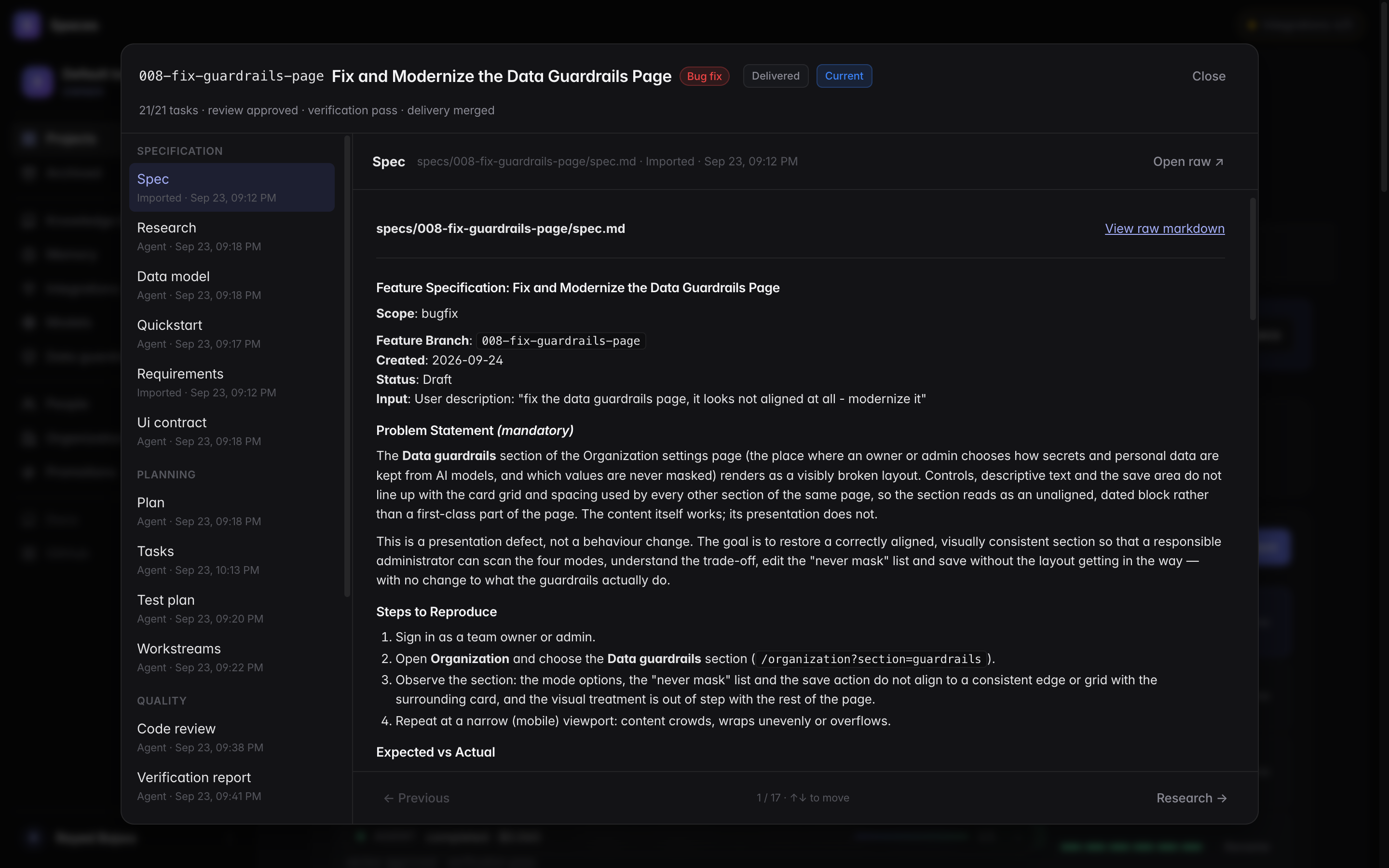
"Spec-driven development" gets used to mean anything from a long prompt to a design doc nobody reads. In Spaces it means something specific: every stage of the pipeline reads files the previous stage wrote, and the first of those files is a spec a person approved.
This post follows one feature through the line and shows what each stage leaves behind.
Why files, not chat
We learned this the hard way. Stages hand each other a summary as context, and summaries lose things (we measured it). One run's handoff was eight characters long: "Done. Wi". The next stage still did the right thing, because it read the spec, the task list and the review from the repository.
The files are the real channel. The chat is a hint.
So every stage writes a file with a fixed shape, into the feature's own folder in the repo, under version control, where people and agents read the same thing.
The line
1. Specify → spec.md
A ticket becomes a spec: user stories with priorities, numbered functional requirements (FR-001…), acceptance scenarios, and measurable success criteria. It says what and why, never how.
2. Clarify → questions, then an updated spec
Anything ambiguous becomes a question with options and a recommendation. A person answers (usually one click) and the answer is written back into the spec. This is the cheapest place to find out you disagree about something.
Gate: a person approves the spec.
3. Plan → plan.md
Now the how: architecture, data model, the files that will change, the risks. The planner reads the spec and the codebase, not the ticket.
4. Tasks → tasks.md
The plan becomes a numbered task list, each task tied to a user story, and marked when it can run in parallel with others. Tasks that only a person can do (testing on a real phone, say) are marked as such. That turned out to matter a lot.
5. Implement → commits and a pull request
The implementer works through the tasks, writes tests, and ticks tasks off as it goes. For larger features, the tasks are grouped into workstreams that run in parallel, each on its own branch.
6. Review → code-review.md
A separate agent reviews the change against the spec, not just for style. Its report ends with a line the pipeline reads: Code Review Status: APPROVED or CHANGES_REQUESTED, plus a list of recommended changes a person can tick.
7. Verify → verification-report.md
The verifier checks each acceptance criterion and success criterion against the running code and reports a count: 5 of 15 met, 0 critical failures. If something is missing, the loop goes back to implement.
8. Deliver → merged, deployed, checked in production
Gate: a person says yes before merge. Then the change merges, the deploy is watched, and acceptance checks run against the live environment. Done means running, not merged.
What the spec buys you
A definition of done that isn't the agent's opinion. "I've implemented the feature" means nothing. "12 of 15 acceptance criteria verified, 3 need a device" means a lot.
Review against intent. A reviewer with the spec catches "this works but isn't what we asked for", the most expensive kind of bug.
Stop conditions. Our worst loop ran implement → review → verify twelve times because the remaining tasks needed a person with a phone. Once tasks could say person only, the pipeline learned to stop and ask instead of trying again.
An honest scope. Not every success criterion is testable by a pipeline. "Users adopt the feature within a month" is a business outcome, not QA. We exclude those from verification coverage and track them after release, rather than letting an agent pretend to check them.
What it costs you
A spec takes a few minutes of a person's attention up front, and the pipeline is slower to start than "just write the code." For a one-line fix, it's overkill, and you should skip it.
For anything a team will maintain, it's the difference between agents that produce code and a process that produces software.
Spaces is an AI software factory: specs go in, reviewed and tested pull requests come out. It's on GitHub, source-available and free for personal use.